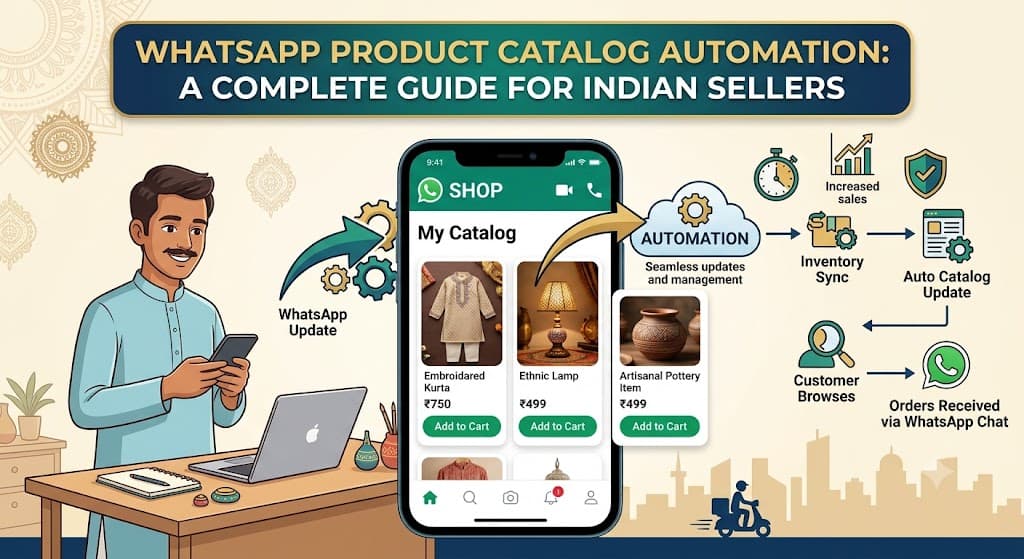
If you sell physical products — clothing, bakery items, jewelry, home decor, anything with a price and a photo — you've probably spent hours manually sending product pictures and prices to customers one message at a time. It works, but it doesn't scale, and it's the kind of repetitive task that quietly eats an entire day.
A WhatsApp product catalog fixes this at the source: instead of you describing products in every conversation, customers can browse an actual catalog inside WhatsApp itself, and your automation can reference it directly when answering questions.
What a WhatsApp Catalog Actually Is
A WhatsApp Business catalog is a structured list of your products — name, price, description, and photo — stored directly within your WhatsApp Business profile. Customers can browse it like a mini storefront, and businesses can share specific catalog items directly inside a chat instead of manually uploading a photo and typing a price every single time.
Why This Matters More Than It Seems
The real value isn't just convenience — it's consistency and speed. Every customer sees the same accurate price and description, there's no risk of a team member misquoting a price from memory, and updating one item in the catalog instantly reflects across every future conversation, without needing to correct anyone.
"The businesses losing the least time to repetitive questions are the ones where the answer already exists in a structured format the bot can pull from — not the ones typing the same reply from scratch every time."
Setting Up Your Catalog — The Basics
A well-organized catalog makes automation far more effective than a messy one. A few practices make a real difference:
- Use clear, consistent naming — "Chocolate Truffle Cake (1kg)" is far more useful to both customers and AI than "Cake 3"
- Keep prices current — an outdated catalog creates more customer service problems than having no catalog at all
- Organize into categories — cakes, pastries, breads, for example — so customers (and automation) can narrow down quickly
- Add clear photos — the single biggest factor in whether a customer trusts what they're ordering
Connecting the Catalog to Automated Replies
A catalog by itself is useful, but it becomes significantly more powerful when your automation can reference it directly in conversation. Instead of a generic "please check our catalog" response, a well-connected system can answer specific product questions directly:
| Customer message | Catalog-connected response |
|---|---|
| "Red kurta available hai kya, size M?" | Pulls the exact item, confirms size availability and price directly |
| "Sabse sasta cake kaunsa hai?" | Compares catalog prices and surfaces the lowest option automatically |
| "Is this available in blue?" | Checks catalog variants and responds accurately instead of guessing |
This is a meaningfully different experience from a static catalog customers have to scroll through themselves — the bot does the searching on their behalf.
Handling Out-of-Stock Items Gracefully
One of the most common ways catalogs create a bad experience is when a customer orders something that's actually out of stock, but the catalog wasn't updated in time. A good system flags this proactively rather than letting a customer place an order that can't be fulfilled — either by marking items unavailable in real time, or by having the AI mention low stock or suggest an alternative when relevant.
Practical tip: If you sell fast-moving items like bakery products, update stock status at least once a day. For slower-moving inventory like clothing or home decor, a weekly check is usually enough.
Using the Catalog for Upselling — Carefully
A connected catalog also makes natural cross-selling possible: if a customer is asking about a cake, the AI can mention that a matching box of cupcakes is often ordered together. This works well when it's genuinely relevant and mentioned naturally — it works poorly when every response turns into a pitch for additional products.
"The line between helpful and pushy is whether the suggestion follows the customer's actual interest, or interrupts it."
Catalog Automation During High-Volume Periods
Festival seasons and sales events are exactly when a connected catalog earns its keep the most. Message volume spikes, questions are repetitive ("is this available," "what's the price," "do you have this in another color"), and a catalog-aware bot can handle the overwhelming majority of these instantly — leaving your team free to handle the genuinely unusual requests.
Getting Started
If you're currently sharing product photos and prices manually in every conversation, setting up even a basic catalog — accurate names, current prices, clear photos — is one of the highest-leverage improvements you can make before adding anything more advanced. Once that foundation exists, connecting it to automated replies turns it from a static list into an active part of every sales conversation.
ConviDesk AI's catalog integration is built to keep this connection live — pulling accurate product and pricing information directly into AI-powered replies, so customers get instant, correct answers without your team repeating the same information all day.